Carol WrightEli WoodKeith PattisonAdrienne Dickinson
What Is the Interactive Blueprint?
The NCEE Interactive Blueprint is a web application that turns NCEE’s
static Blueprint PDF into a structured, data-driven self-assessment platform. Districts and
school systems evaluate where they stand across the Blueprint’s 73 constructs —
organized into four domains — and track progress over time.
Three user types, three tailored experiences:
Participants (district leaders) — read the Blueprint, self-assess
on each construct, review personal reports
Cross-platform note: Blueprint shares its authentication layer (Clerk +
Salesforce) with the broader NCEE platform ecosystem. Users who exist in Salesforce are
automatically recognized and assigned the correct role on first sign-in.
Platform Capabilities
Everything below is live on staging. Items marked
New were built in this sprint.
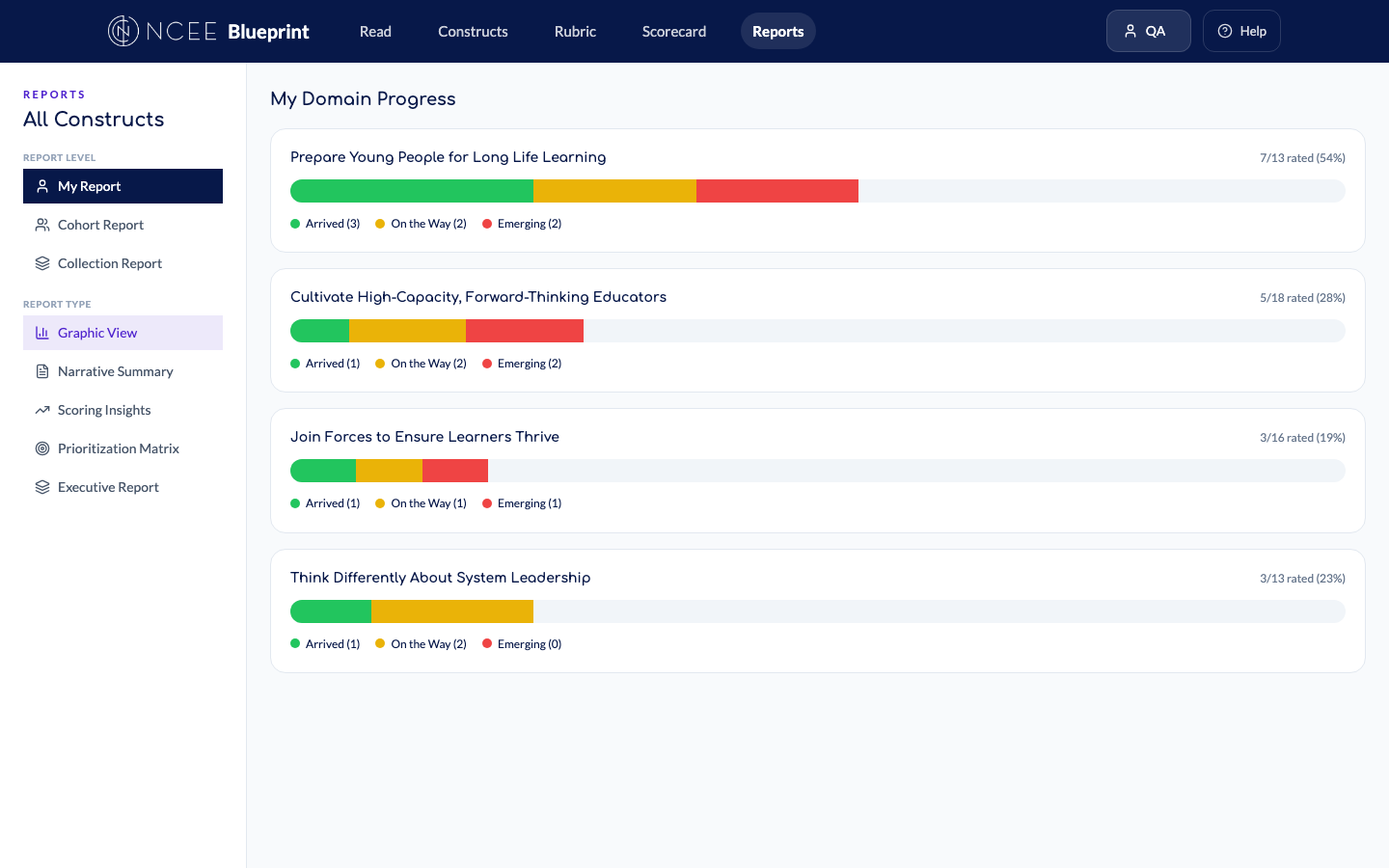
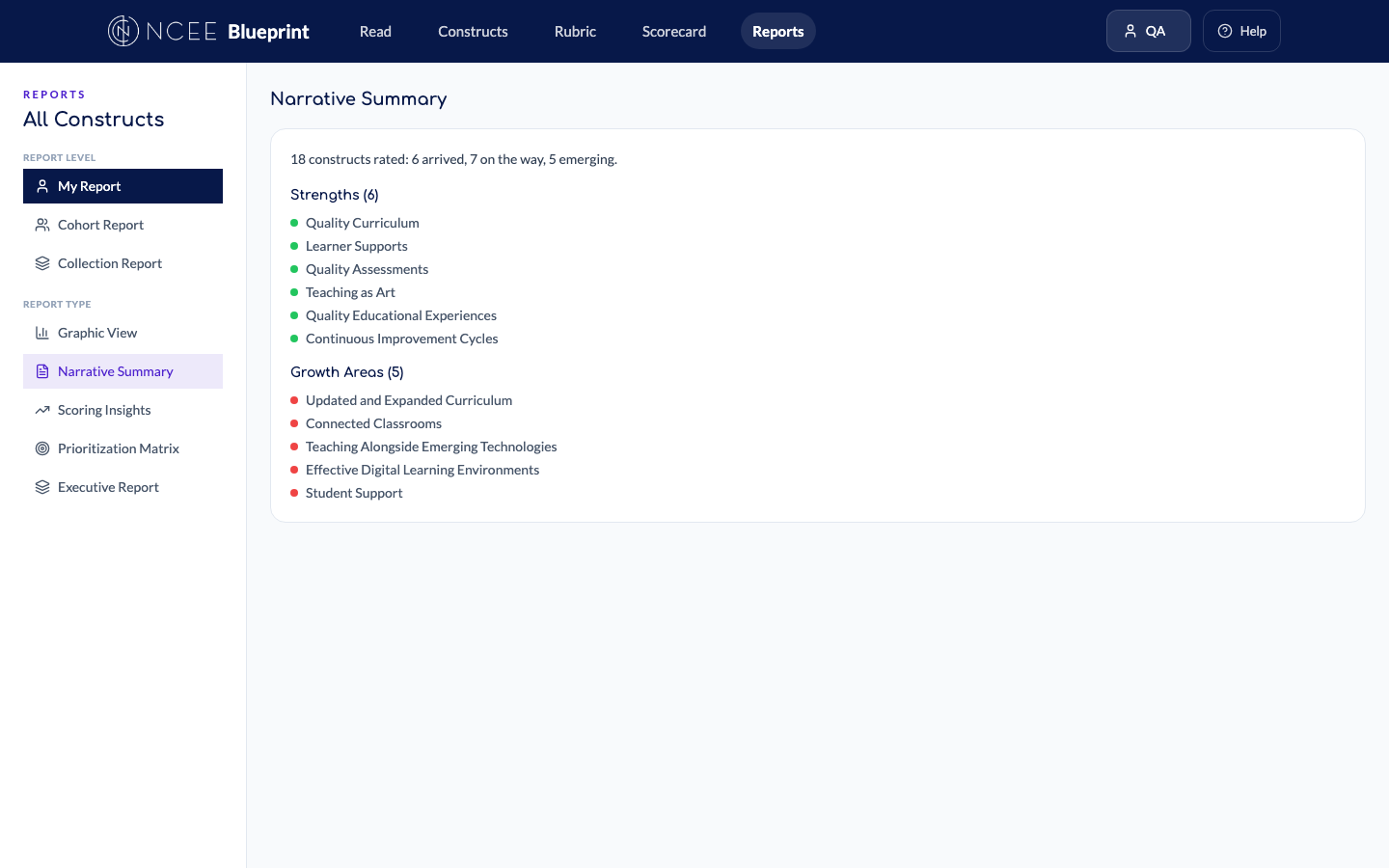
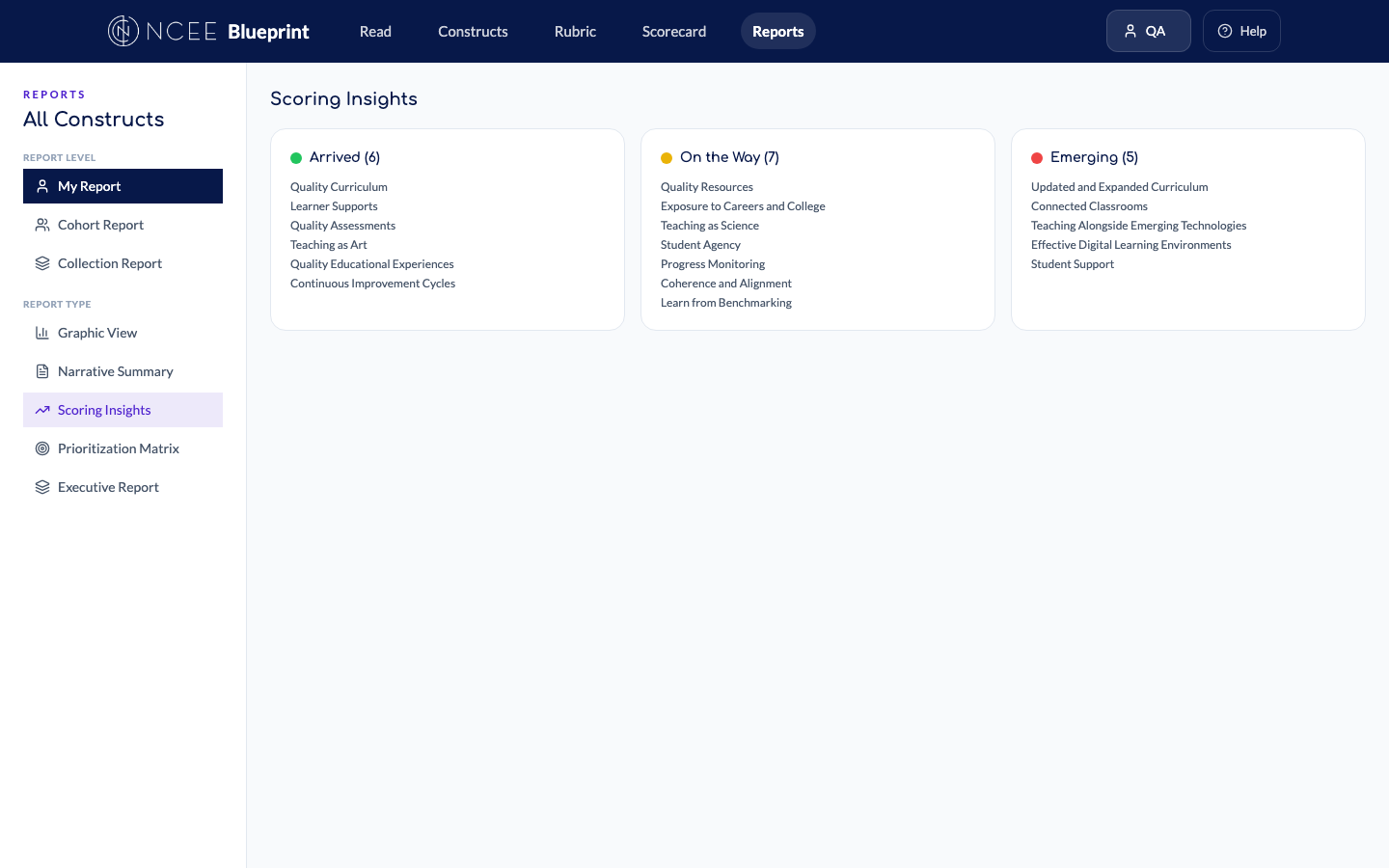
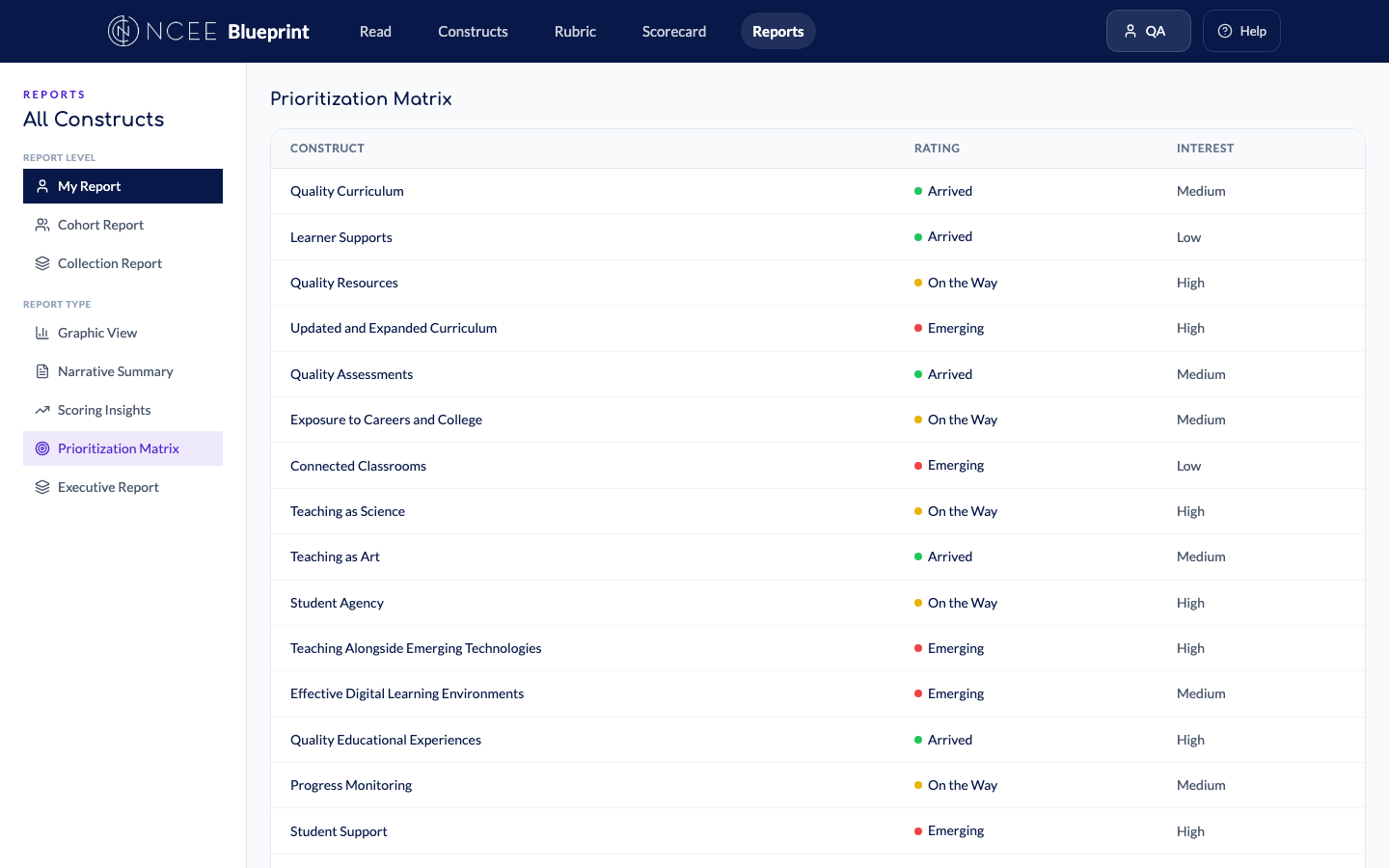
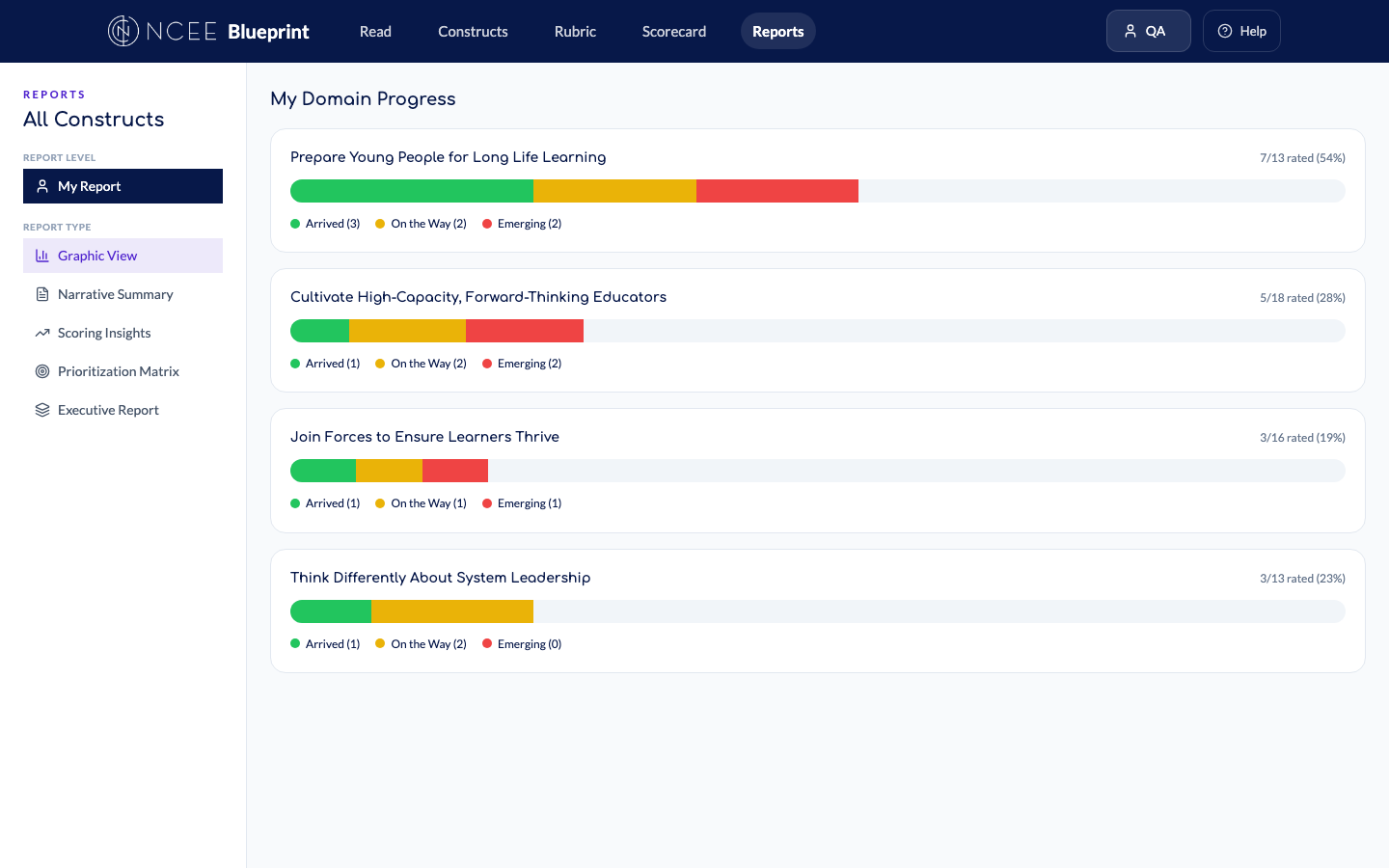
Reports — three levels, five types New
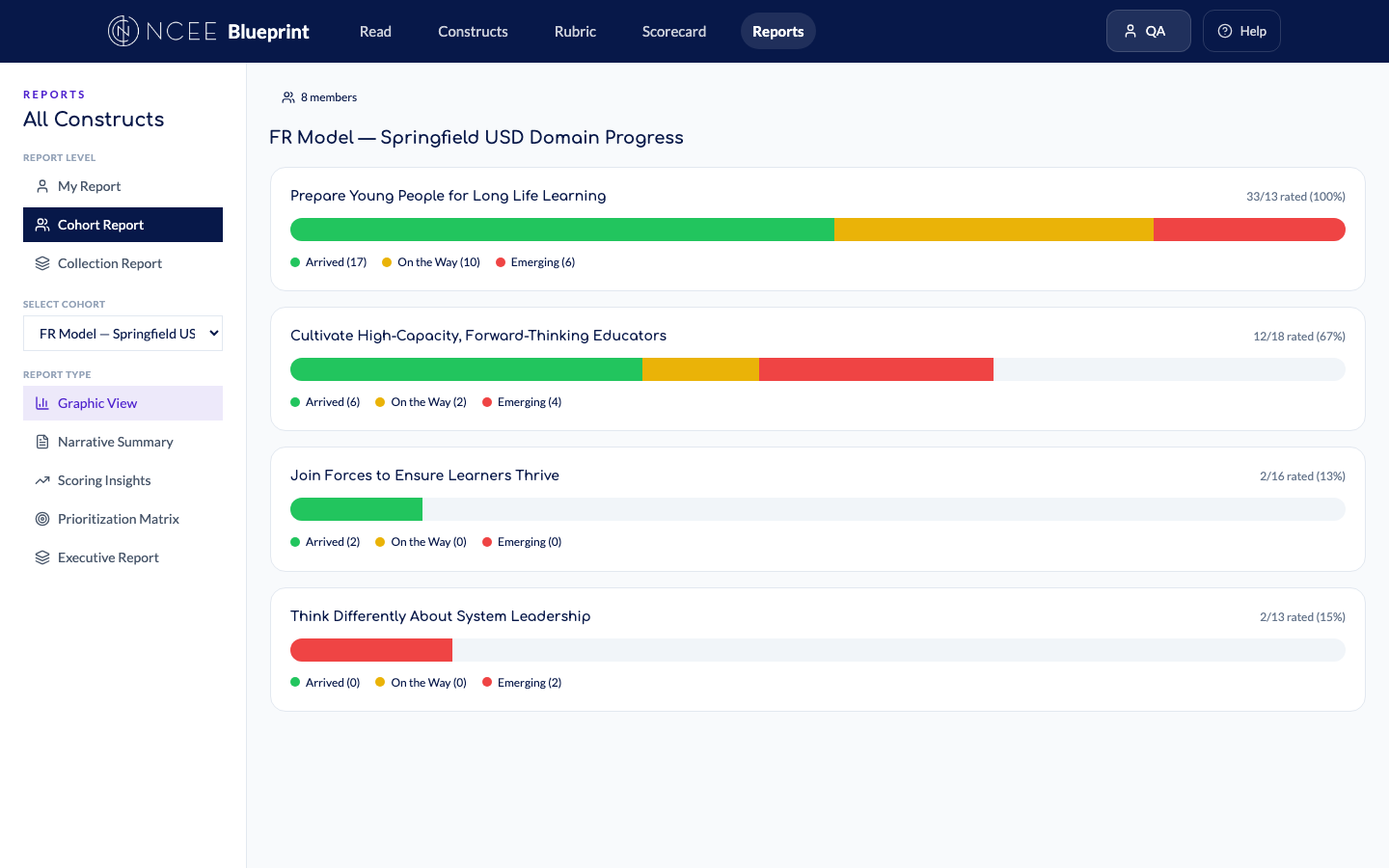
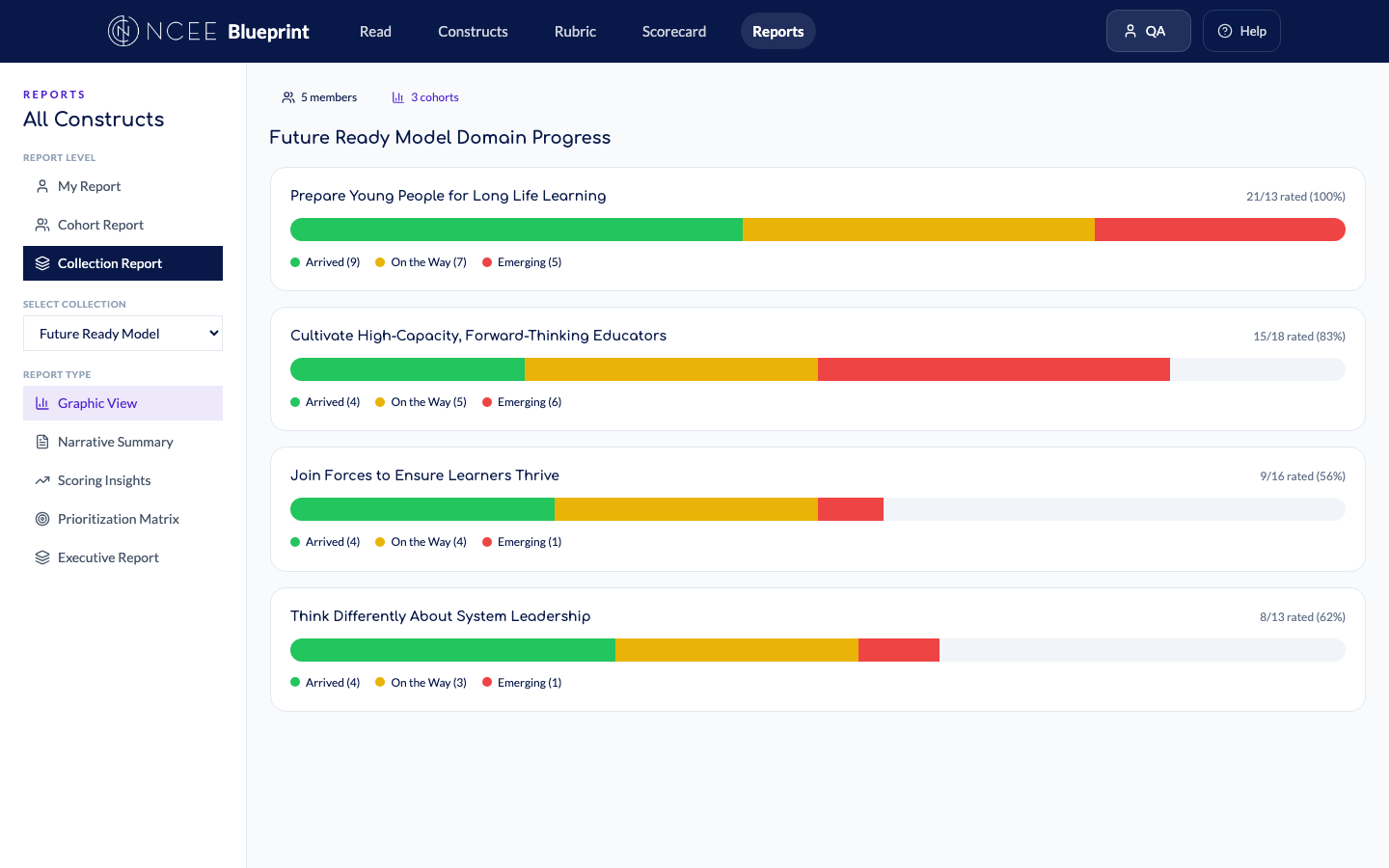
Graphic ViewDomain progress heatmap — green (arrived), yellow (on the way), red
(emerging)
Narrative SummaryText summary with rated construct count, strengths list, and growth areas
Scoring InsightsThree columns grouping constructs by rating level — Arrived, On the Way,
Emerging
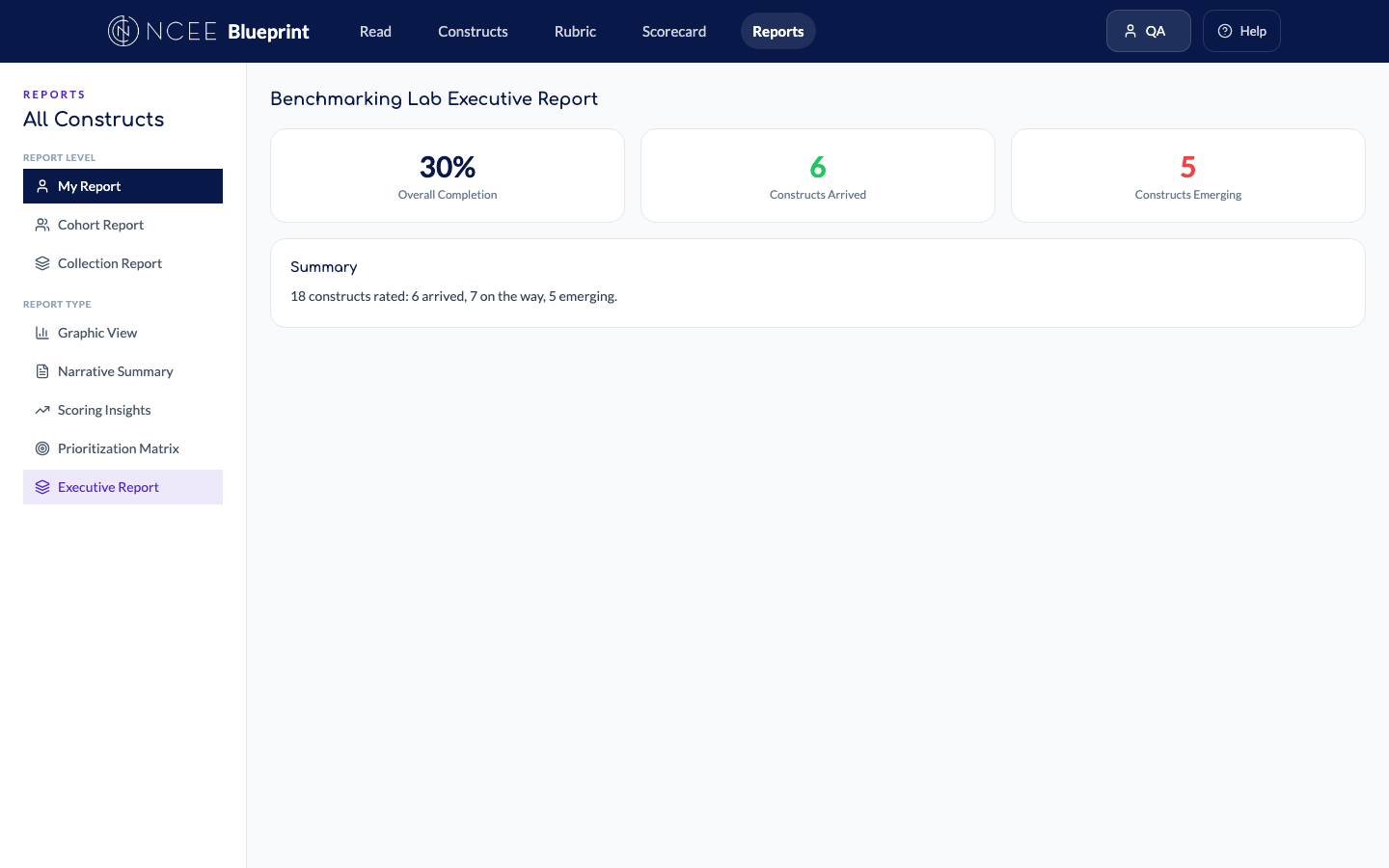
Benchmarking Lab Executive ReportOverall completion %, arrived/emerging counts, summary text for
stakeholders
Cohort ReportSelect a cohort → see aggregated data across all members with member
count
Collection ReportSelect a collection → aggregated data across all cohorts with cohort +
member counts
“One of the questions that have been asking me is like how do we know based on what
the facilitator is choosing is correct because we want to know what the themes are.”
— Carol Wright, April 7 meeting
These automated reports surface themes directly from the data. No manual aggregation needed.
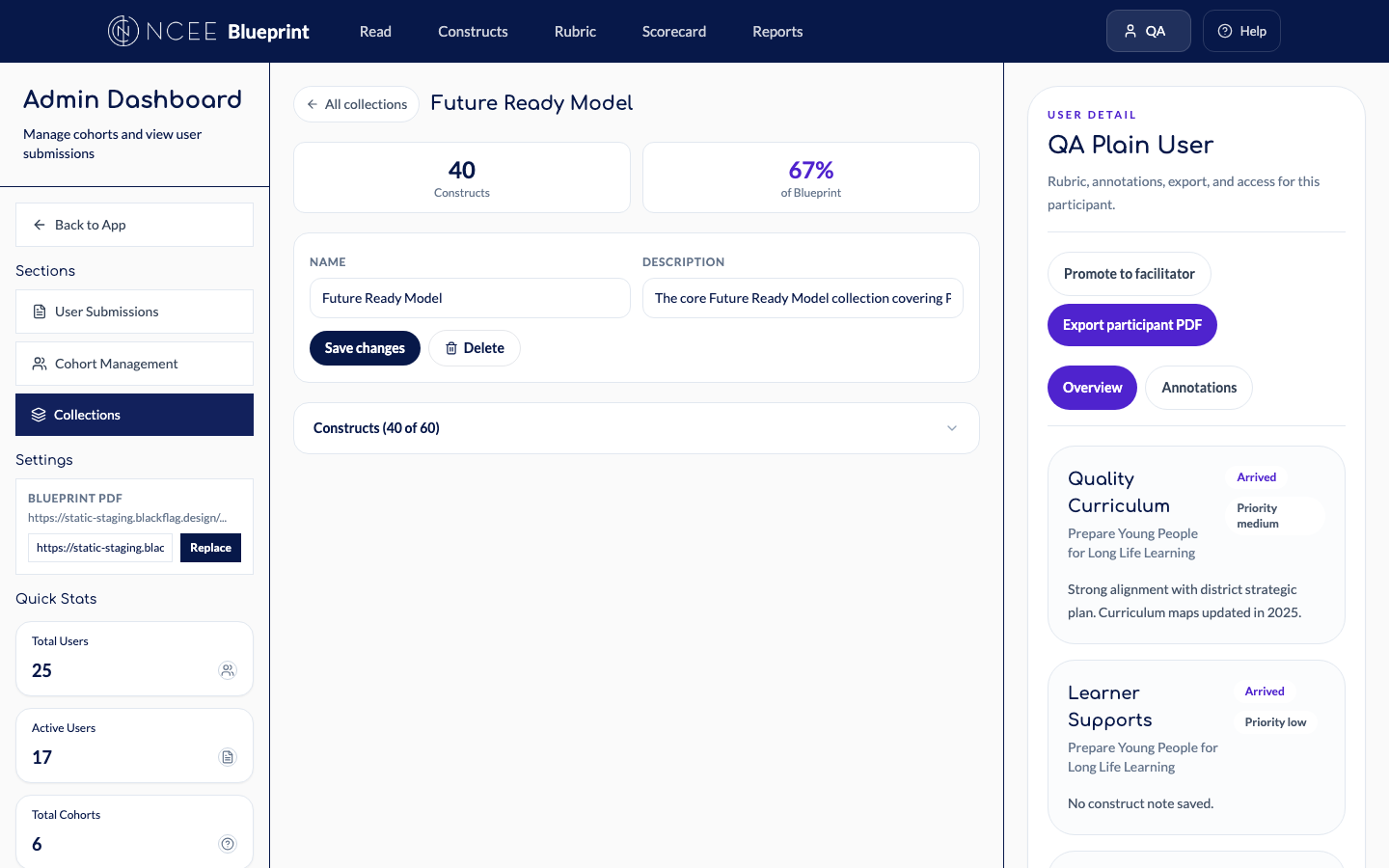
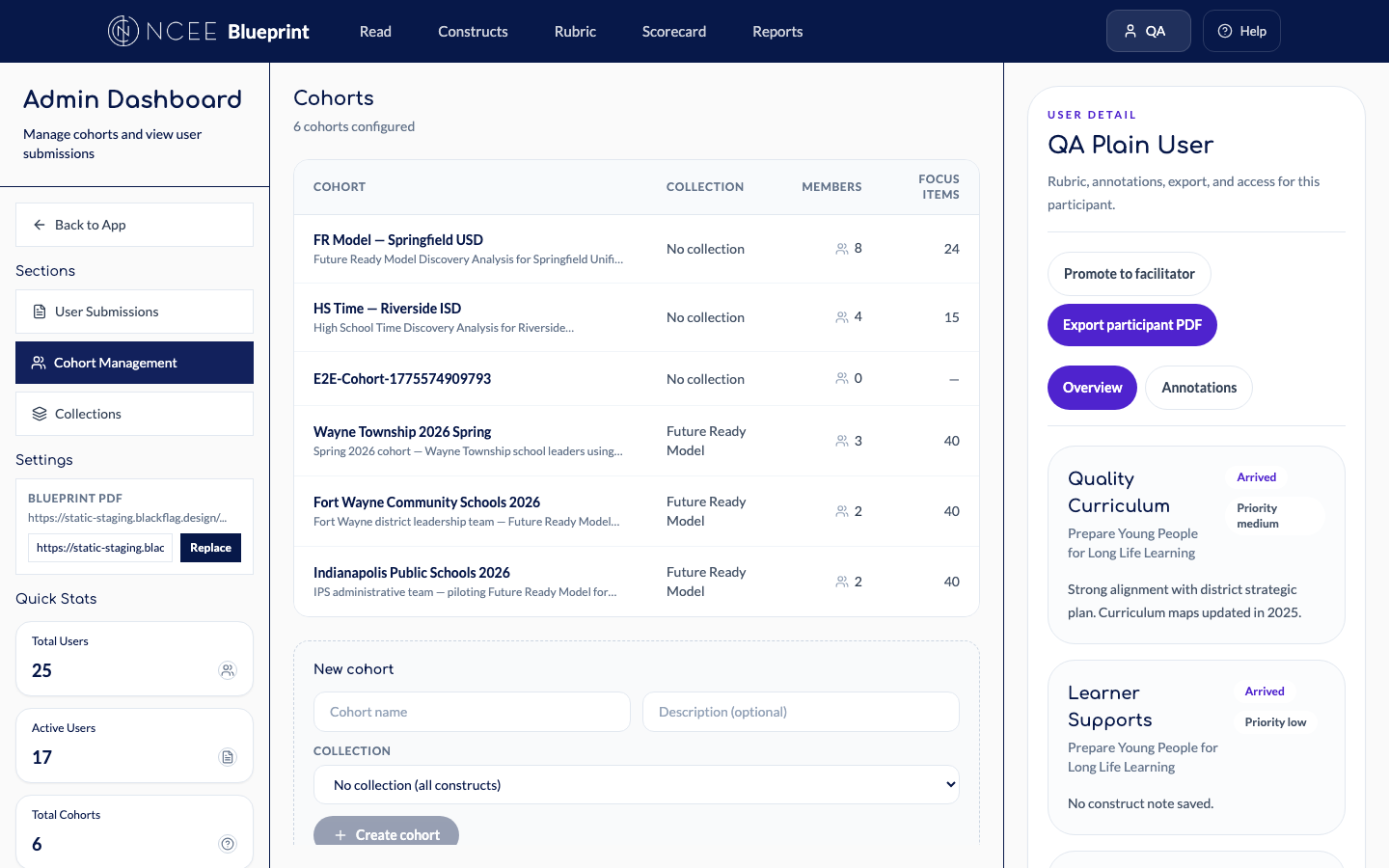
Collections & scoped experiences New
The Blueprint’s 73 constructs are organized into collections —
named subsets representing different NCEE offerings. When a participant belongs to a cohort
assigned to a collection, every page shows only those constructs. System admins manage
collections through a dedicated admin tab.
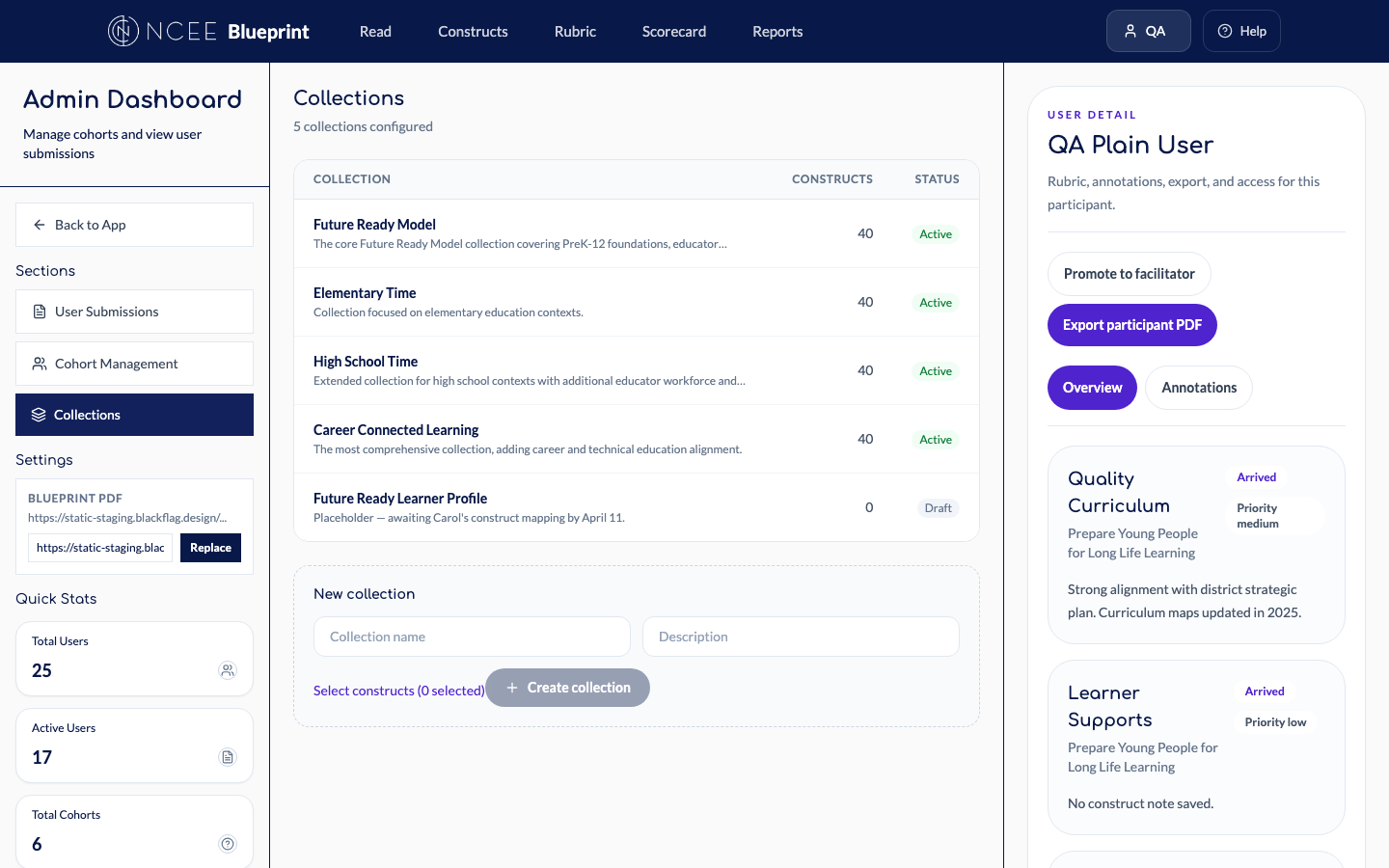
Collections Tab5 collections with construct counts and Active/Draft status
Collection DetailEdit form with construct picker for Future Ready Model
Cohort ManagementSimplified creation: name + description + collection dropdown
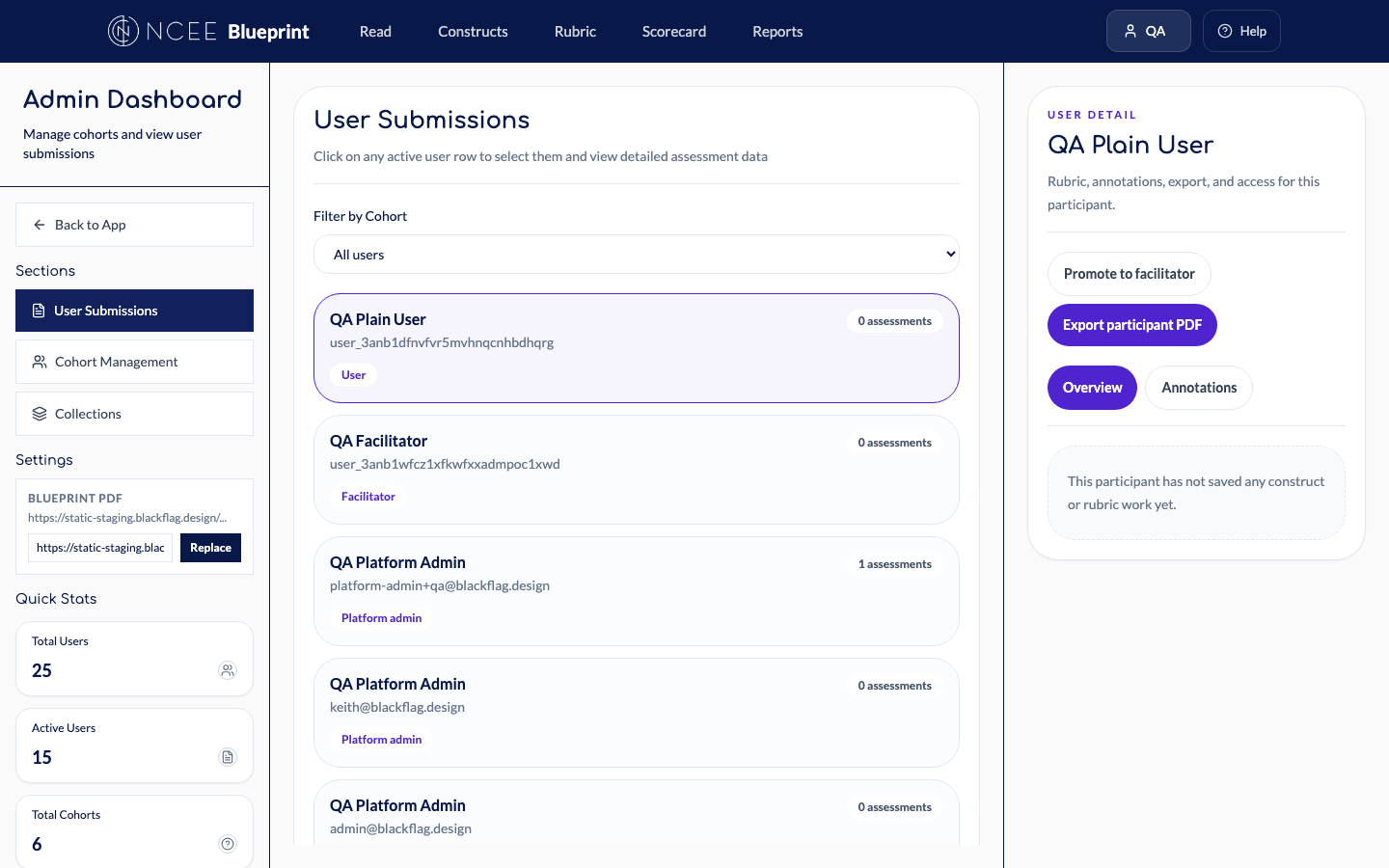
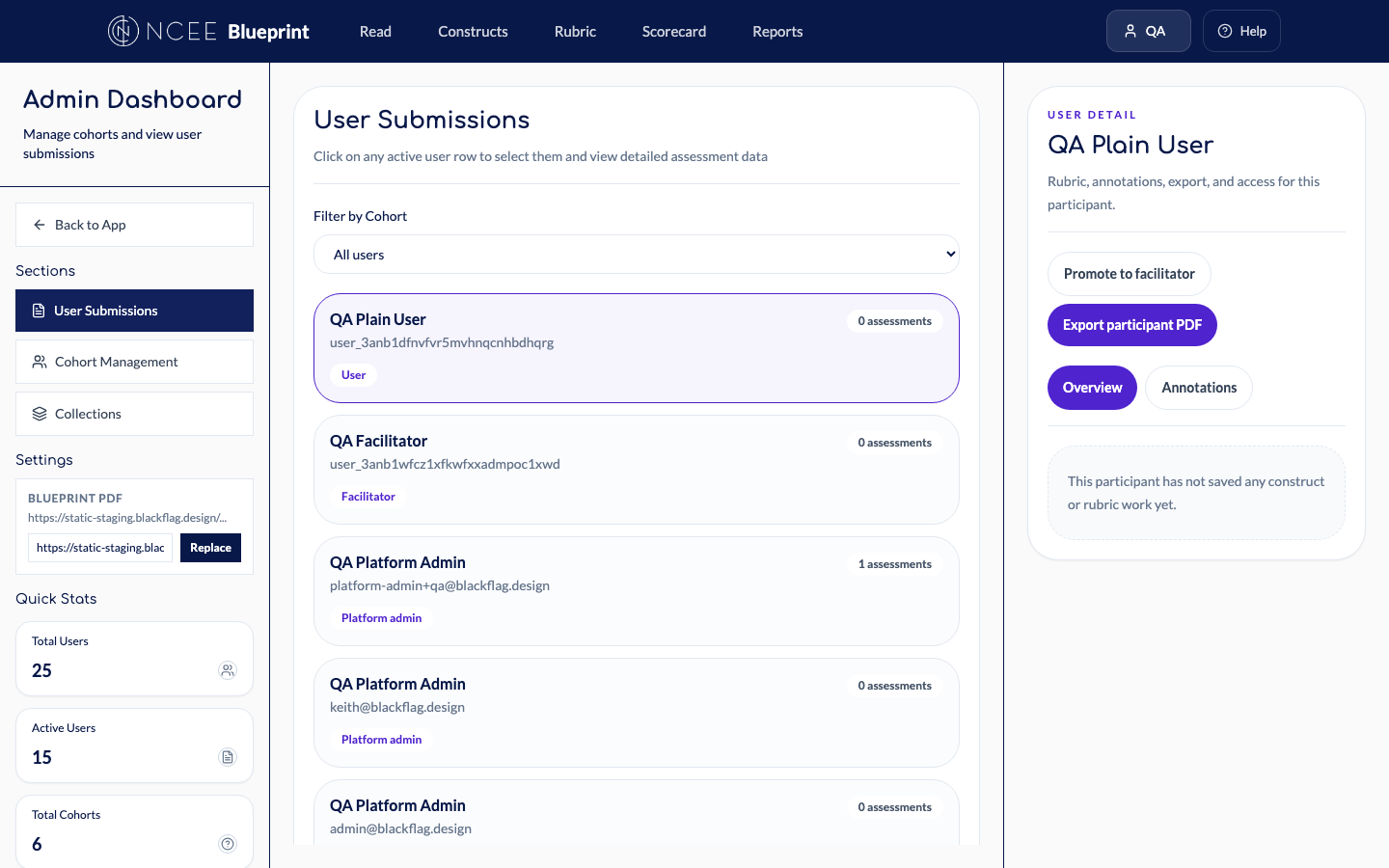
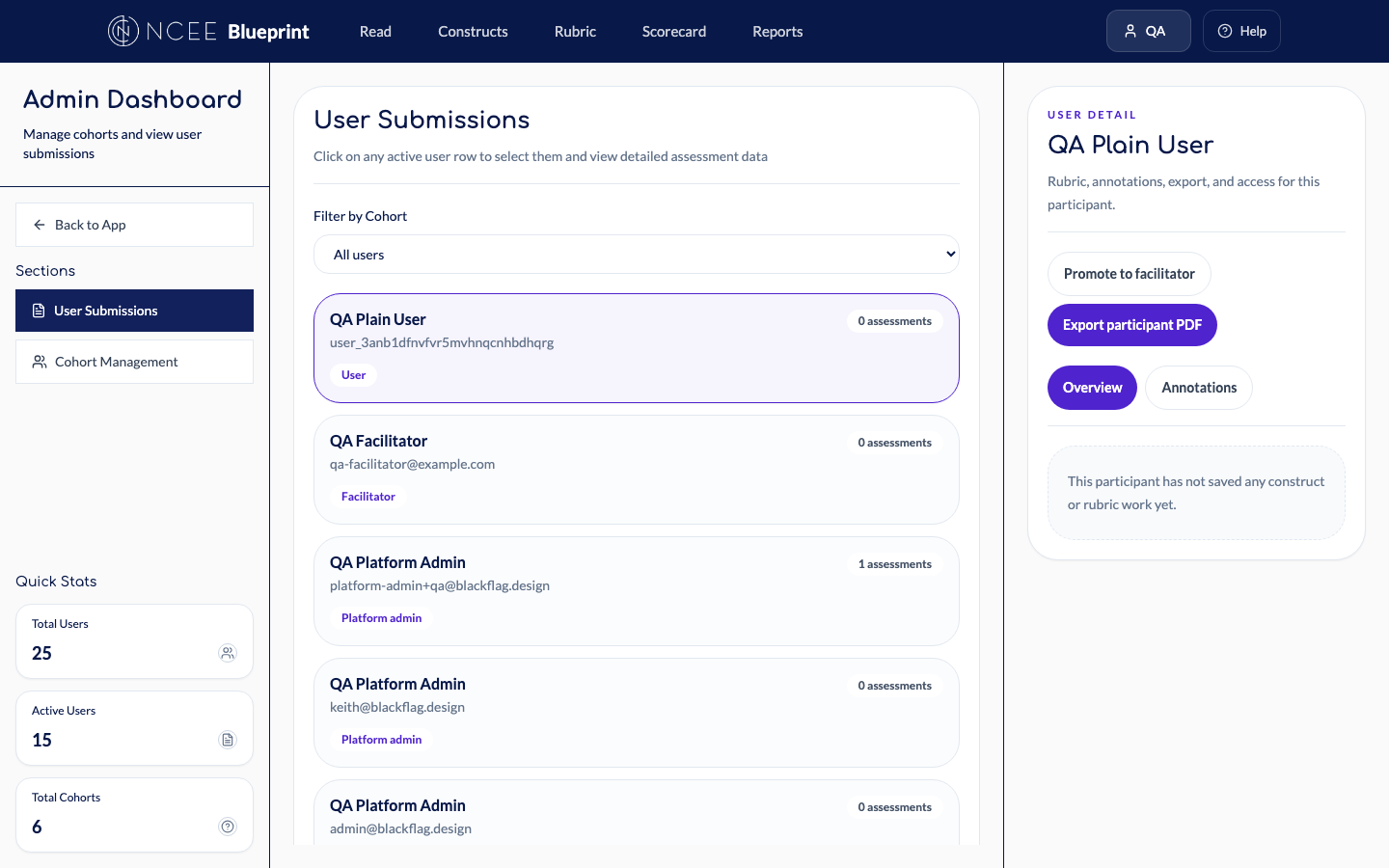
User SubmissionsFilter by cohort, view assessment detail, export participant data to PDF
Admin SidebarThree tabs (Submissions, Cohorts, Collections) + Settings with Blueprint PDF
config
Role-based access control
Every surface adapts to the user’s role. Admin tabs, report levels, and settings all
gate access based on whether you’re a participant, facilitator, or system admin.
Facilitator — only Submissions + Cohorts tabs
Participant — only “My Report” level
Salesforce Integration & User Identity
Salesforce Type
Blueprint Role
Synced Records
Experience
Staff (flagged as NCEE employee)
Facilitator
62
All cohorts, all data, admin access, all report levels
National/Local Facilitator
Facilitator
174 assignments
Assigned cohorts + member data + cohort reports
Participant (PowerCustomerSuccess)
Participant
21,482
Collection-scoped constructs, rubric, scorecard, personal reports
Live Salesforce sync: These are real counts from your Salesforce instance,
synced via the Blueprint’s Salesforce integration engine. 62 NCEE staff, 21,482 participant
records, and 174 facilitator assignments are already mapped. Clerk-to-Salesforce identity linking
is now automatic — users are recognized and assigned the correct role on first sign-in.
What’s Next
Upcoming work
Salesforce SSO — OAuth login via Salesforce, deep links from
OnwardLearn, “Return to OnwardLearn” button. In progress.
Learner Profile collection — Awaiting Carol’s construct
list (expected by April 11). Fifth active collection.
Completion heat map — Visual indicator of which cohort members
have completed assessments.
Public Access V1 — A distinct experience for users without a
Salesforce account.
Discussion Items
Where we’d like input
Collection selector UX: Dropdown vs. segmented control for switching
between collections?
Default for new cohorts: Must every cohort have a collection, or is
“all 73 constructs” a valid default?
Report export: Reports are in-app only. Is PDF export needed for
stakeholders outside the system?
Completion threshold: At what % of cohort completion should we flag a
report as ready? Currently 80%.
Cross-platform alignment: How does the Blueprint’s reporting
model connect to needs across other NCEE platforms?